Aruba Travel eSIM
One eSIM for Aruba and its neighbours. Scan a QR code and you're online.
Plans & prices
Buy now — the plan activates when you land, not when you pay.
- Fast delivery
- Check your device
- Secure payment
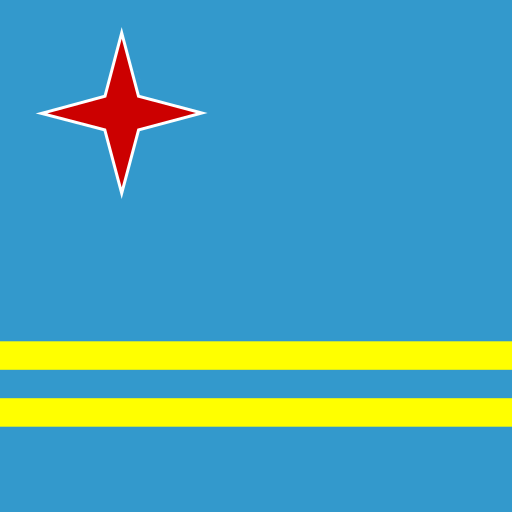
Aruba
Nationwide data coverage
- 4G / LTE
- Hotspot
- Top-ups
- No ID needed
Coverage & network in Aruba
The plans for Aruba are regional: one eSIM that covers Aruba alongside its neighbours, which is exactly what most trips through this part of the world look like. Every plan shown here works in Aruba — the coverage counter on each one tells you where else it reaches.
As a rule of thumb: maps and messaging burn 100–200 MB a day, social media roughly 500 MB an hour, and a video call about 1 GB an hour. A light week fits in a small plan; remote work needs a big one.
Coverage in Aruba is 4G/LTE. It handles navigation, messaging, calls over data and streaming without complaint, and it reaches considerably further than any 5G rollout currently does. Tethering is allowed on every Aruba plan, so a laptop or a travelling companion can share the connection.
Because these are regional plans, crossing into a neighbouring country usually needs no new eSIM at all — check the coverage list on the plan you pick. The full Caribbean plan page shows everything the region offers, and Puerto Rico, Saint Barthélemy and Saint Kitts and Nevis have their own pages too.
How to install it
- 1
Buy in a minute
Pick a Aruba plan and pay. Your QR code arrives by email within minutes — no account, no shipping.
- 2
Install on Wi-Fi
Scan the code before you fly. The profile sits alongside your normal SIM and stays switched off until you need it.
- 3
Land connected
Turn on data roaming for the TravelNet line when you arrive. The plan starts counting down on that first connection, not at checkout.
Will my phone work?
You need an eSIM-capable, carrier-unlocked phone: an iPhone XS or newer, a Pixel 3 or
newer, or a recent Samsung Galaxy S, Z or A-series flagship. Dial *#06# — if
an EID number is listed alongside the IMEI, the phone has an eSIM.
Travelling beyond Aruba?
One profile, one allowance, no swapping SIMs at a border.
- Caribbean from $12.99 · up to 29 countries
- Global from $11.99 · up to 173 countries
-
 Puerto Rico
from $5.99
Puerto Rico
from $5.99 -
 Saint Barthélemy
from $15.49
Saint Barthélemy
from $15.49 -
 Saint Kitts and Nevis
from $9.99
Saint Kitts and Nevis
from $9.99 -
 Saint Lucia
from $9.99
Saint Lucia
from $9.99
Planning a multi-country trip? Find the plans that cover every stop →
Aruba eSIM questions
Which network does the Aruba eSIM use?
We don't publish a single operator name for Aruba, because the profile can attach to more than one partner network and picks whichever is strongest where you are. In practice that means you get the best available signal rather than being locked to one operator's weak spots.
Will I get 5G in Aruba?
No. Aruba plans run on 4G/LTE, which is what the networks cover reliably. For maps, messaging, calls over data and streaming the difference is not something you'll notice.
How much data do I actually need for Aruba?
As a rough guide: navigation and messaging burn around 100–200 MB a day, social media roughly 500 MB an hour, and video calls about 1 GB an hour. A short trip fits a small plan; a fortnight of heavier use wants a mid-size one; streaming and remote work push you to the top of the ladder.
When does my Aruba plan start counting down?
When the eSIM first connects to a network in Aruba, not when you buy it. Install it at home a day or two before you fly — the validity period on the plan you choose runs from arrival, not from checkout.
Why do Aruba plans list other countries too?
Because they are regional eSIMs: one profile whose allowance works across every country on its coverage list, Aruba included. For a single-country trip nothing changes — install, land, connect. For a multi-country trip it means the same plan keeps working after the border.
Can I use my Aruba eSIM as a hotspot?
Yes. Tethering is enabled on every Aruba plan, so you can share the connection with a laptop, a tablet or someone travelling with you. Hotspot data comes out of the same allowance.
Can I keep my own phone number while I'm in Aruba?
Yes. Nothing is removed from your phone. The Aruba profile is added as a second line and set as the one used for data, while your usual number keeps receiving calls, texts and bank verification codes. Switch data roaming off on the home line before you fly.
Do I need to register or show a passport to use a Aruba eSIM?
No. The plan roams on partner networks, so there's no local SIM registration, no ID upload and no shop visit. You buy it, scan the QR code, and it works on arrival.
What happens if I run out of data in Aruba?
You can buy another Aruba plan from the same page and install it the same way. Plans marked as top-up capable can also be extended without a new QR code.
I'm also visiting Puerto Rico and Saint Barthélemy — do I need separate eSIMs?
Check the coverage list on the plan you pick first — many Aruba plans are regional and already include the neighbours, in which case one eSIM covers the whole trip. Otherwise the Caribbean plan does.
Will my phone work with a Aruba eSIM?
If it's an iPhone XS or newer, a Pixel 3 or newer, or a recent Samsung Galaxy S, Z or A-series flagship, almost certainly — and it must be carrier-unlocked. Dial *#06# and look for an EID number: if one is listed, the phone has an eSIM. Our compatibility list has the full set.